Shopify Scripts are deprecated: what to do before June 30, 2026

By Robin Laseur

Shopify has been signalling this change for years. First the August 2024 deadline, then August 2025, and now June 30, 2026, a date Shopify has confirmed will not move again. Shopify Scripts are deprecated, and every Plus store running custom checkout logic through the Script Editor needs to act before that date.
The first cutoff has already passed. As of April 15, 2026, editing and publishing Scripts is no longer possible. Any Script running in production right now is frozen code. If a bug surfaces between now and June 30, there is no fix available in the Script Editor. Stores mid-migration with broken discount rules have no fallback.
This post covers the practical side: what Shopify Scripts did, what Shopify Functions replace them with, and how to approach the audit and migration before the window closes entirely.
This article explains:
Why Shopify Scripts are being retired and what the hard deadlines mean for your store
How Shopify Functions differ from Scripts architecturally and why the migration matters beyond compliance
A step-by-step approach to auditing your current Scripts and planning the migration
What to do if you use complex custom discount, shipping, or payment logic
Whether you have been running Scripts for three years or three months, the remaining window is shorter than it looks. Read on for a clear-headed breakdown of what this change requires.
What Shopify Scripts actually did
Shopify Scripts were a Plus-only feature that let merchants run custom Ruby code directly on the cart and checkout pages via the Script Editor. The appeal was clear: native Shopify discount logic has never been flexible enough for complex B2B pricing, tiered wholesale rules, or conditional promotions based on customer tags.
Scripts filled that gap for years. A Script could apply a 15% discount to orders over €500 for customers tagged as wholesale, stack a product-specific promotion on top, and suppress a payment method for certain regions, all inside one checkout flow without a third-party app.
The trade-off was architectural. Scripts ran in a sandboxed Ruby environment isolated from the rest of the Shopify stack. They had no connection to Flow automations, no access to GraphQL, and no way to interact with Checkout UI Extensions. Every change required a developer with access to the Script Editor. There was no versioning, no rollback, and no testing environment.
That isolation is the core reason Shopify is retiring them. Scripts cannot evolve to meet modern extensibility requirements without a fundamental rewrite of their runtime. Shopify chose not to patch the architecture and built Shopify Functions instead.
Two deadlines, not one
Most coverage of the Shopify Scripts deprecated timeline focuses on June 30. The April 15 date was the one that created real operational risk, and it has now passed.
April 15, 2026 (passed): Editing and publishing new Shopify Scripts is no longer possible. Existing Scripts continue to run, but cannot be modified.
June 30, 2026: All Shopify Scripts stop executing entirely. Any custom discount, shipping, or payment logic running through Scripts disappears.
If your migration is not complete by June 30, you are running frozen code in production with no path to repair it. Any edge case that surfaces, a promotion conflict, a shipping rule firing incorrectly, a payment method appearing when it should not, cannot be fixed in the Script Editor.
Shopify has confirmed this deadline will not extend again. The deadline was pushed twice before (originally August 2024, then August 2025). June 30, 2026 is the hard stop.
What changes with Shopify Functions
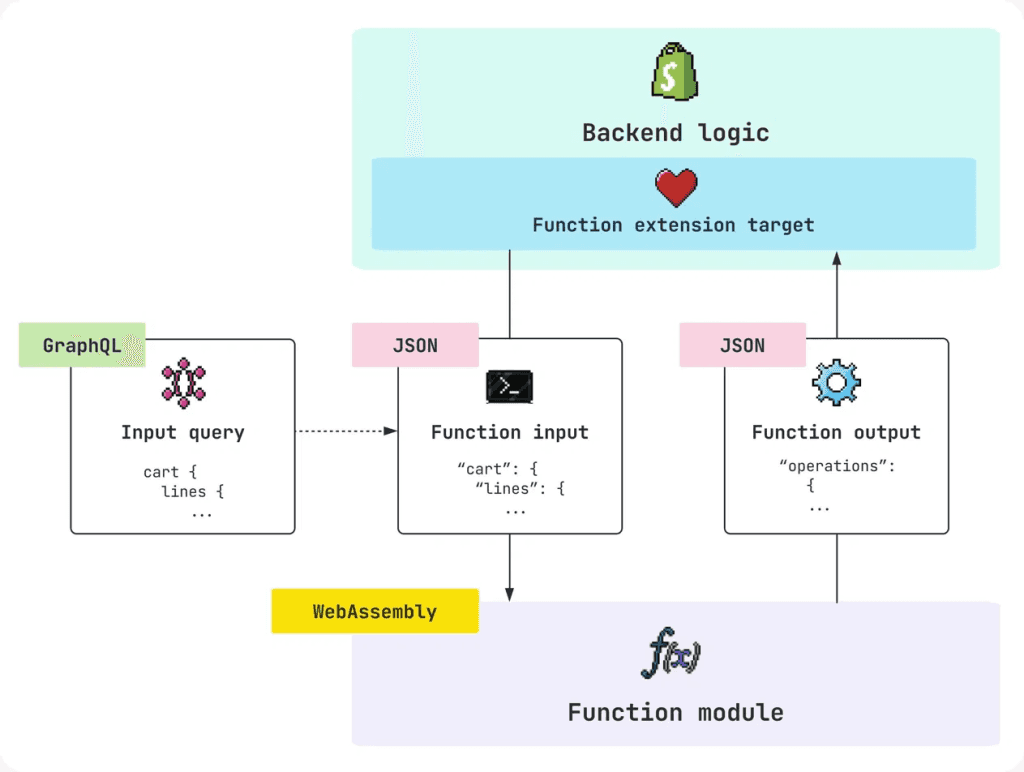
Shopify Functions are not Scripts with a new syntax. The architecture is fundamentally different. Functions are compiled WebAssembly modules that run inside Shopify’s core infrastructure at specific points in the commerce lifecycle. The practical differences are significant.
Shopify Scripts | Shopify Functions | |
Language | Ruby | Rust, JavaScript, or AssemblyScript |
Runtime | Sandboxed Ruby on Shopify servers | Compiled WebAssembly on Shopify infrastructure |
Performance | Variable execution time | Sub-5ms, no cold starts |
Availability | Shopify Plus only | Plus for custom apps; all plans via public apps |
Deployment | Script Editor (code required) | Shopify CLI + app container |
Versioning | No versioning | Version-controlled, testable, reversible |
Ecosystem fit | Isolated from Flow, GraphQL, Checkout UI Extensions | Full integration with Shopify extensibility stack |
Status | Deprecated June 30, 2026 | Active, Shopify’s standard going forward |
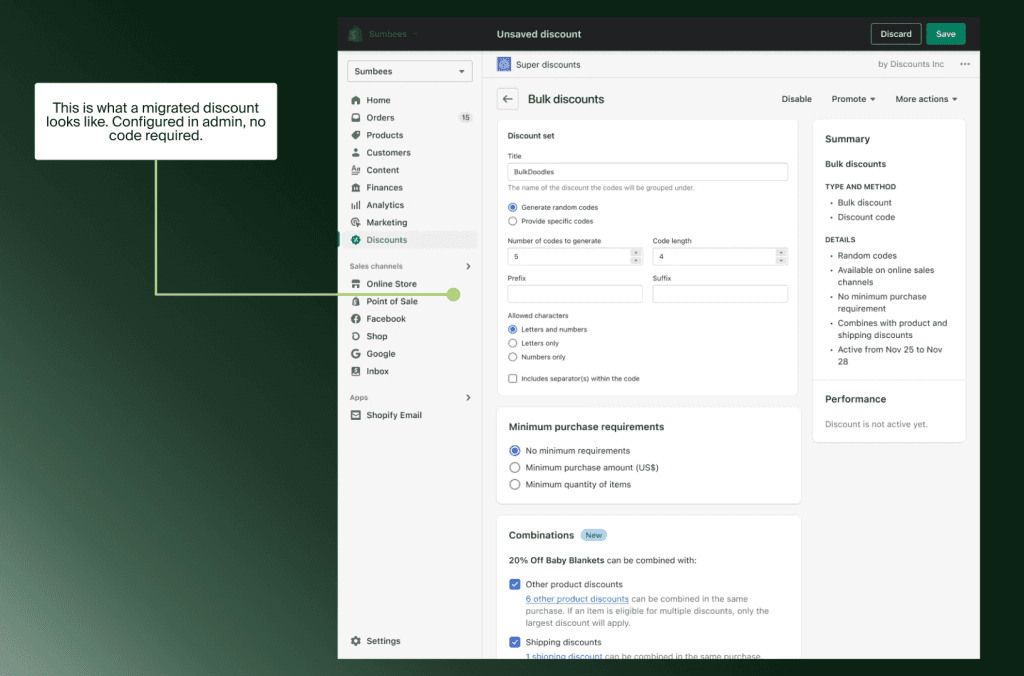
From a merchant’s perspective, the most meaningful change is deployment model. Functions are distributed as apps, either custom private apps for a single store, or public apps from the Shopify App Store. This means the logic lives inside a version-controlled, testable container rather than a code editor with no rollback.
For eCommerce teams running custom discount logic, the migration is not purely technical. It is an opportunity to audit which Scripts still reflect current business rules, which were built to work around Shopify limitations that no longer exist, and which can be replaced with a public app rather than custom development.
For a broader picture of how Functions fit into the checkout stack, our guide on Shopify checkout extensibility covers the full architecture in detail.
How to approach the migration
Step 1: Run the Scripts customisations report
From your Shopify admin, go to Apps > Script Editor. If you see a “Replace Shopify Scripts” banner, click it to access the customisations report. This report lists every active Script, what it does, and links to recommended replacement apps or Function API tutorials. Export it as a CSV and review it with both your development team and eCommerce operations team together.
Some Scripts on the list will have obvious public app replacements. Others will require custom Function development. A few may power logic that is simply no longer needed. The report makes the scope visible before any work begins.
Step 2: Classify each Script by complexity
Group your Scripts into three categories before writing a single line of code:
Simple replacements: Logic that a public app already handles, such as basic tiered discounts or standard shipping rules. Install the app, configure it, test it alongside the Script, then disable the Script.
Custom Function development: Business logic specific to your store that no public app covers, such as complex B2B pricing matrices, multi-condition stacking rules, or payment gating by customer tag. These require a developer to rebuild the logic using the Shopify Functions API.
Deprecated logic: Scripts that were built to work around a Shopify limitation that no longer exists, or rules that reflect pricing strategies you no longer use. These can be dropped entirely.
Avoid migrating everything at once. Complete one group, test it in a staging environment, confirm it behaves correctly in production, then move to the next. Scripts and Functions can run simultaneously in the same store during the transition period, which makes phased migration practical.

Step 3: Test before you disable
One risk in phased migration is running a Script and a Function targeting the same checkout logic at the same time. They can conflict. The safest sequence: deploy the Function, verify it produces the correct output in a test order, then disable the Script. Only then move to the next item.
For stores with complex stacking rules, where a Script handles the interaction between multiple discount types, test with your most common order scenarios before going live. Edge cases in discount logic tend to be invisible until they surface in a real order.
The broader context: Checkout Extensibility
The Shopify Scripts deprecated timeline is part of a larger platform shift. Shopify has been moving its entire customisation model away from code-in-an-editor toward a modular, app-based extensibility stack.
Checkout Extensibility, the framework that replaces checkout.liquid and Scripts, is the standard for all Shopify checkout customisation going forward. The checkout.liquid migration deadline was August 28, 2025 and has already passed for Plus merchants. For non-Plus stores, Thank You and Order Status page migration is also complete.
Understanding where Scripts sit in this broader shift matters for planning. Functions are not a standalone fix. They are the checkout logic layer within a larger extensibility architecture that includes Checkout UI Extensions, Shopify Flow, and the Storefront and Admin APIs. Migrating Scripts is the immediate action; aligning your full checkout stack with Checkout Extensibility is the longer-term project.
If you are evaluating a more significant platform shift alongside this migration, our overview of Shopify Plus for eCommerce businesses covers the platform’s capabilities in full.
What happens if you miss the deadline
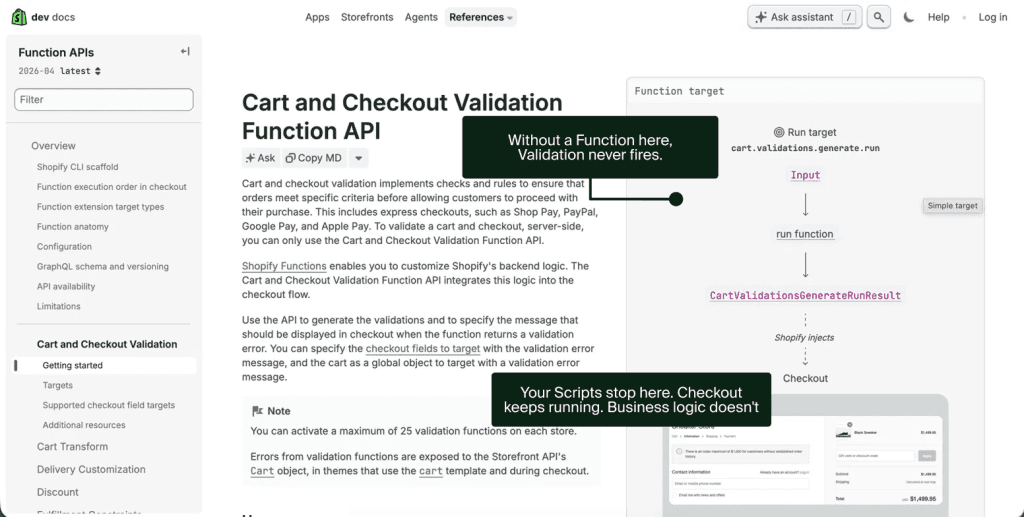
The consequences are direct. Every Script stops executing on July 1, 2026. There is no grace period and no fallback.
For a store running a custom wholesale discount Script, that means the discount simply does not apply. Customers who should see a 20% trade price see the standard retail price instead. Orders may go through at incorrect prices before anyone on the team notices.
For stores with payment gating Scripts, suppressing a payment method for certain regions or customer types, the gating disappears. Payment options that should not appear for a customer segment will appear.
Shipping logic tied to Scripts reverts to Shopify’s default behaviour. If your store uses Scripts to calculate zone-based rates or carrier-specific rules, those rules stop applying entirely.
None of this results in a store going down. The store continues to process orders. The problem is that it processes them without the business logic your team built. That gap is visible to customers and silent in the admin until you look closely at order data.
How Flatline approaches Scripts migrations
As a Shopify Platinum Partner, Flatline has worked through Scripts migrations across eCommerce operations ranging from straightforward B2C discount logic to complex B2B pricing stacks with multiple condition layers. The pattern that comes up most often: merchants underestimate the scope because the Scripts themselves are rarely touched day-to-day, and the team that originally wrote them may no longer be around.
Starting with the customisations report and a structured audit, before any development begins, is consistently the approach that avoids mid-migration surprises. It surfaces both the complexity of the migration and the opportunity to clean up logic that should have been retired years ago.
If you are running Shopify Plus and have not yet completed your Scripts migration, the June 30 deadline is weeks away. Get in touch for a migration assessment.
The takeaway
Shopify Scripts have been a reliable tool for Plus merchants who needed checkout logic beyond what native discounts could handle. That era ends on June 30, 2026.
The migration to Shopify Functions is not purely a compliance task. Functions are a more capable, version-controlled, and ecosystem-integrated replacement. Merchants who complete the migration thoughtfully will end up with checkout logic that is easier to maintain, easier to test, and better aligned with the direction Shopify is building toward.
Merchants without that expertise in-house typically bring in a Shopify Plus agency precisely for this kind of deadline-driven migration.
The risk is not the migration itself. It is running out of time to do it properly. June 30 is the real deadline. Plan accordingly.
Related articles


