


What an SFCC migration plan covers
We start with what your Business Manager and cartridge path actually do: catalogs, master and variation products, price books, inventory lists, promotions, content assets and Page Designer pages, custom cartridges and LINK cartridges, and the Salesforce clouds connected to the shop. Each part gets a decision: move it, rebuild it on Shopify, replace it with an app, keep it in the Salesforce stack or retire it. Then follow the URL map and redirects, the migration of products, customers and orders, tracking and feeds, and QA on real processes, from checkout to returns.
PROVEN
RESULTS
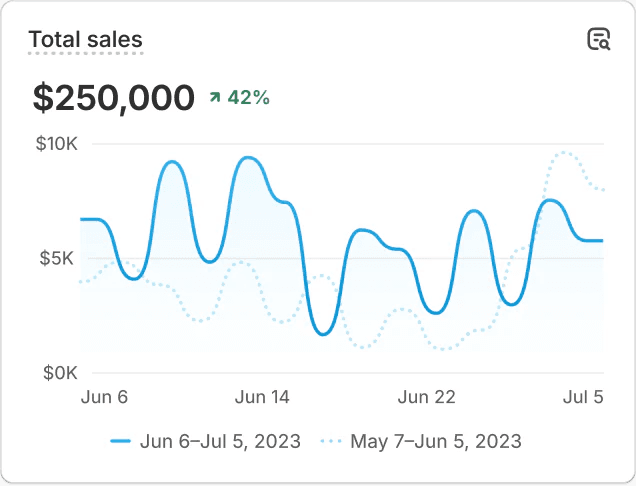
TOTAL SALES VS. PREVIOUS PERIOD


What moves from Salesforce Commerce Cloud, and how
SFCC exports catalogs, price books, customers and orders as XML from Business Manager, built on schemas such as catalog.xsd, pricebook.xsd, customer.xsd and order.xsd. We map every part to its Shopify counterpart before anything is imported:
Master products and their variations move as products with variants. Shopify allows three options and 2,048 variants per product, so extra variation attributes become metafields.
Variation groups, often one page per colour, become separate products linked by colour, or one product with a colour option, depending on how you merchandise.
Product sets and bundles are rebuilt with Shopify bundles or an app; option products become line item properties or add-on products.
Price books become Markets price lists or B2B catalogs, inventory lists become Shopify locations.
Customer profiles, addresses and order history move. Passwords cannot be imported, so we plan activation emails or passwordless login. Orders have no CSV route and go in through the Admin API, after products and customers.
Content assets, slots and Page Designer pages are rebuilt as Shopify sections, pages and metaobjects.
The brands below came to Shopify from other platforms. The method is the same: one owner per field, three migration runs and a redirect for every URL.
For every step in detail, read our guide Salesforce Commerce Cloud to Shopify migration.
Cartridges, B2B and integrations
An SFCC storefront is a cartridge path: SFRA or SiteGenesis at the base, LINK cartridges for payments, tax, search and reviews, and custom cartridges on top. None of that code runs on Shopify. Each cartridge gets a decision: covered by Shopify itself, replaced by an app, rebuilt as a custom app or Shopify Function, or retired. Einstein recommendations and search are replaced by Shopify Search & Discovery or a dedicated app.
Still on SiteGenesis? Adyen, for one, no longer develops new features for its SiteGenesis cartridge, so the choice is an SFRA rebuild on SFCC or a move to Shopify.
B2B is a separate product at Salesforce: B2B Commerce has its own licence next to B2C Commerce. On Shopify Plus, B2B runs in the same store with companies, locations, price lists and payment terms. See Shopify B2B.
Connections with ERP, OMS, WMS and the other Salesforce clouds get one owner per object, a sync frequency and error handling, tested before launch. See Shopify ERP integration and Shopify integrations.
Shopify or Shopify Plus: which plan fits follows from the scan, not from your current licence. See what Shopify Plus adds for larger brands.
SFCC URLs and SEO
SFCC builds SEO URLs from URL rules in Business Manager. Product URLs typically carry the category path and end in the product ID and .html, such as /shoes/sandals/water-sandal/12414.html, and category pages sit at their own path. On Shopify they become /products/ and /collections/. That makes the redirect map the most important SEO deliverable of the project:
We crawl every indexable URL, including locale folders, refinement URLs and old /on/demandware.store/ pipeline URLs that are still indexed.
Each old URL goes to its closest new page, never to the homepage by default.
The product ID in the old URL is the key: we store it as a metafield, so every .html URL maps to exactly one Shopify product.
Content, metadata, hreflang and internal links move along, or are improved on purpose.
After launch we compare per template and folder, so a drop is found where it starts.
Shopify allows up to 100,000 redirects on its standard plans and 20 million on Shopify Plus, and only from URLs that return a 404. The redirect map is built and tested before launch.
Approach
We work in fixed phases, so you know at every point what has been decided and what is still open:
Migration audit: catalogs, price books, cartridges, connected Salesforce clouds, content, URLs and processes, with scope and risks per decision.
Solution design: Shopify Plus, data model, markets, B2B and the role of apps versus custom work, or headless where a theme does not fit.
Design and build, delivered in reviewable parts.
Trial migrations with real data from the XML exports and APIs, to measure completeness and duration.
QA on real processes: orders, payments, promotions, returns and tracking.
Cutover with data freeze, final sync and redirects, timed before your Salesforce renewal, followed by monitoring after launch.
Plan backwards from your peak. To sell on Shopify on Black Friday 2027 (26 November), we count six weeks for the scan, four for scope, about twenty for build, migration and testing, and six for launch and hypercare, followed by a code freeze from early November. In practice: the decision has to be made in February 2027.
We migrate in three runs, never one: a dry run in a development store to find fields that arrive empty, a dress rehearsal with the full data set to time the import, and a delta run after the freeze. After launch our hypercare runs 90 days, starting with daily checks of orders per hour, checkout conversion, failed payments per method, 404s and support tickets.
Brands we moved to Shopify Plus



Planning to leave Salesforce Commerce Cloud?
Tell us how many sites and price books you run, which cartridges and Salesforce clouds the shop depends on, and when your Salesforce contract renews. We reply with a first view on scope, risks and the route to Shopify, and suggest a short call to walk through it.


