Build custom Shopify apps faster with Shopify Sidekick

By Robin Laseur

Internal tools often become an invisible bottleneck as Shopify stores scale. Teams rely on spreadsheets, manual checks, and fragmented workflows to manage merchandising, operations, and quality control. Building a custom app typically means developer time, backlog prioritisation, and long feedback loops. As a result, many internal needs remain unresolved: not because they lack value, but because they move too slowly.
Shopify Sidekick introduces a different approach. Designed as an AI assistant inside the admin, Shopify Sidekick helps teams move faster by reducing friction between intent and execution. One of its most practical capabilities is custom app generation, allowing merchants to create lightweight internal tools directly within their existing workflows. Instead of waiting for development cycles, teams can experiment, iterate, and adapt tools as needs evolve.
This shift reflects a broader change in how the platform is embedding AI. Shopify Sidekick is not positioned as a replacement for developers or production grade applications, but as a way to unlock faster execution for operational tooling that supports day to day decision making. The goal is to bring intelligent assistance closer to where merchants already work.
In this article, we examine how Shopify Sidekick enables custom app generation, where it fits within a mature setup, and when teams should treat it as an accelerator rather than a substitute for structured development.
Why internal tools become a scaling bottleneck
As Shopify stores scale, operational complexity increases faster than most teams expect. What starts as a manageable setup quickly turns into a patchwork of spreadsheets, exports, manual checks, and informal processes shared across teams. These tools exist because teams need them, but maintaining them becomes difficult when they sit outside the core platform.
Common friction points include:
Merchandising checks handled outside the admin.
Operational validations done manually before campaigns launch.
Ad-hoc scripts created for one-off tasks that lack central oversight.
Internal dashboards living separately from daily workflows.
Every workaround adds context switching, slows decision making, and increases the risk of human error. This is the gap Shopify Sidekick begins to address. Not by replacing existing systems, but by reducing the distance between operational needs and execution inside the Shopify admin itself.
What Shopify Sidekick enables with custom app generation
One of the most practical capabilities of Shopify Sidekick is custom app generation. Instead of starting with technical specifications or development tickets, teams can describe what they need in plain language directly in the admin. As demonstrated in the latest Shopify Sidekick AI upgrades, the assistant then interprets these instructions to create a functional app based on that initial prompt.

Shopify Sidekick supports the creation of lightweight internal apps that:
Live directly inside the Shopify admin for seamless access.
Support specific operational workflows tailored to your store’s unique logic.
Can be refined through follow up prompts to ensure the tool meets exact requirements, allowing for iterative development without coding.
Evolve alongside changing business needs without the friction of long development cycles.
These apps are not designed to replace full scale custom development for customer-facing features. Their value lies in speed and proximity. Teams can move from a strategic idea to usable internal tooling without waiting for traditional backlog prioritisation. Rather than asking whether a tool is “worth building,” teams can test small ideas quickly and discard what does not add value, significantly lowering the cost of experimentation.
Examples of internal tools teams can build with Shopify Sidekick
Custom app generation with Shopify Sidekick is most effective when applied to focused, repeatable tasks. By describing your idea, you can use the assistant to help you manage your store with tools like:
Merchandising validation: Check product completeness, pricing rules, or collection logic before campaigns go live.
Operational checklists: Internal quality assurance flows for launches, promotions, or market expansions.
Staff onboarding tools: Contextual guides or dashboards for new team members inside the admin.
Promotion readiness checks: Validate discounts, inventory thresholds, and shipping logic before activation.
Internal dashboards: Surface specific metrics relevant to daily decisions without navigating full analytics tools.
These tools solve real problems, but they are rarely complex enough to justify a full development sprint. Shopify Sidekick makes them accessible without forcing teams into all or nothing decisions.
How Shopify Sidekick changes the build, test, and iterate cycle
Traditional custom app development follows a linear path. Requirements are defined upfront, development is scheduled, and feedback arrives late in the process. For internal tools, this often results in overbuilt solutions or ideas that never make it past the backlog.

Shopify Sidekick introduces a more iterative model. With custom app generation, teams can:
Start from intent rather than specifications: Describe your idea in plain language.
Test a tool in its real operational context: Review the generated app code in a preview panel before installation.
Refine functionality through small adjustments: Make changes based on follow up prompts to perfect the logic.
Discard ideas quickly: Since the cost of creation is minimal, teams can validate value without heavy sunk costs.
This shortens the distance between problem and solution. Instead of committing to a full development cycle, teams can validate whether an internal tool is useful before investing further effort. Internal tooling becomes something teams evolve continuously, rather than something they build once and rarely revisit.
Where custom app generation fits in a mature Shopify setup
Shopify Sidekick is most effective when it operates within a well-structured environment. It works best alongside clean product structures, consistent data models, and established operational workflows. For larger or more complex stores, especially those operating on Shopify Plus, generated apps often complement existing systems rather than replace them.
In this context, it acts as an accelerator. It fills gaps between platforms and supports teams closer to execution. It is also important to note that generating apps is available only to stores on specific plans, including the Shopify Plus plan. This allows enterprise teams to respond faster to operational needs without destabilising the broader technical architecture.
When to use Shopify Sidekick and when to consult experts
Custom app generation is powerful, but it is not universal. Understanding its boundaries helps teams avoid long-term issues. Sidekick can only access your store’s Admin API, which includes orders, products, customers, and discounts.
Well-suited use cases:
Internal tools for operations, merchandising, or quality assurance.
Tools that search for customers or create custom discounts.
Apps that recommend reorders based on sales velocity.
Temporary or experimental workflows.
Not suitable for:
Customer-facing data: Generated apps can change customer-facing data, so they must be tested thoroughly.
Core checkout logic: Sidekick cannot access functions outside the admin, such as themes or checkout.
Performance-critical applications: Complex integrations with external systems still require traditional development.
Integrating app generation with the broader Sidekick ecosystem
This development agility is even more powerful when combined with other features in the series. As discussed in our previous look at Sidekick Pulse, the platform now proactively identifies store trends. While Pulse provides the data-driven recommendations and actionable steps to improve performance, custom app generation provides the means to build the specific tools needed to act on those insights.
For example, if Pulse identifies a trend in customer returns, a merchant could use Sidekick to generate a specific task tracker for the team to manage those quality checks directly in the admin. This creates a closed loop where Shopify Sidekick suggests the next steps and helps build the infrastructure to execute them.
A technical breakdown: How to generate and manage your apps
Understanding the mechanics of Shopify Sidekick is essential for maintaining a clean admin environment. The process is designed to be intuitive but follows a structured path to ensure stability. To start, you simply click the Sidekick icon in your admin and select the Generate App option. You can then describe your idea in the chat window or use the “@app” command followed by your specific prompt.
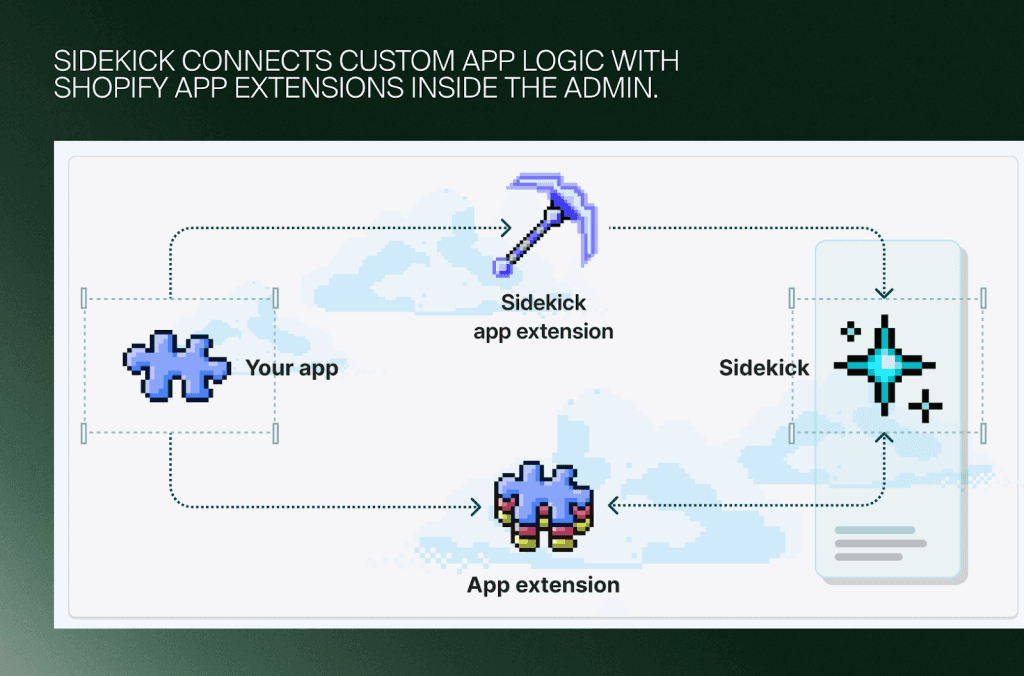
Once the initial logic is processed, you can:
Review the code: Before any installation happens, you can review the generated app code in a dedicated preview panel to ensure it aligns with your intent.
Perform iterative edits: If a specific section needs adjustment, you can prompt Sidekick in the chat or click the edit icon on specific parts of the code.
Preview and Install: You have the option to preview the app’s functionality before clicking install to finalize its presence in your admin.
Manage through the Apps page: Once installed, these tools live alongside your other applications, providing a centralized location for management.
Considerations and limitations for Shopify Plus merchants
While Shopify Sidekick accelerates development, enterprise teams must remain aware of certain technical boundaries to avoid operational friction. Custom app generation is currently available to stores on the Grow, Advanced, and Shopify Plus plans. However, accessibility is governed by strict permission structures to maintain security.
Key considerations for your team include:
Permission management: Generated apps are shared at the store level but can only be developed by staff members who hold specific app development permissions.
Version control: Each time you prompt Sidekick with an edit, it generates a new version of the app, allowing you to track changes during the iteration process.
API constraints: Sidekick can only access the store’s Admin API, which includes core data like Orders, Products, Customers, and Discounts.
Environmental limits: These apps are strictly internal; they only work within the Shopify admin and cannot access customer facing functions like themes, checkout, or customer account pages.
Usage quotas: Shopify applies hourly and weekly limits to app generation to ensure platform stability, and Sidekick will notify you when you are approaching these limits.
Strategy over syntax: Why expert partnership still matters
While Shopify Sidekick significantly lowers the barrier to entry for custom app generation, the most successful implementations are those guided by a clear long term roadmap. Speed is a powerful asset, but without a strategic framework, a collection of lightweight internal tools can quickly become unmanaged technical clutter.
This is precisely the kind of architectural oversight a hands-on ecommerce agency provides, keeping fast AI experimentation from turning into long-term technical debt.
At Flatline Agency, we help high growth merchants bridge the gap between AI experimentation and scalable architecture. As an official Shopify Platinum Partner, we don’t just help you use the tools; we ensure every custom application and automated workflow strengthens your core business operations. Whether you are looking to integrate advanced eCommerce automation or navigate the latest Shopify AI upgrades, our team provides the editorial and technical oversight needed to turn “fast” into “sustainable.”
Ready to transform your operational bottlenecks into competitive advantages? Let’s discuss how we can leverage the latest Shopify infrastructure to build a more agile, high performing store for your brand.
Related articles



F.A.Q.

What kinds of custom apps can Shopify Sidekick generate?
Sidekick is suited to focused internal tools such as merchandising checks, operational task trackers, product-data validation, and workflow utilities. Teams describe the required tool in plain language and iterate on it directly inside the Shopify admin.
When should a merchant use Sidekick instead of traditional app development?
Sidekick works best for lightweight, repeatable internal tasks that rely on Shopify Admin API data. Expert development is still appropriate for complex integrations, customer-facing experiences, sensitive business logic, or systems that require long-term architectural governance.
How does custom app generation fit into a mature Shopify Plus setup?
In a mature setup, generated apps complement clean data models, established workflows, and existing systems rather than replacing them. They can close small operational gaps quickly, but should still be reviewed to prevent duplicated tools and unmanaged technical clutter.